Progress on my Website
A summary of the changes recently made to this website.
· 4 min read
This site has changed dramatically in the last month. I have changed how it looks and how it’s being hosted. And because I know I would enjoy to know the behind of the scenes of a website, I will write in this post the details of how I made the website and the changes I have recently made to it.
Design #
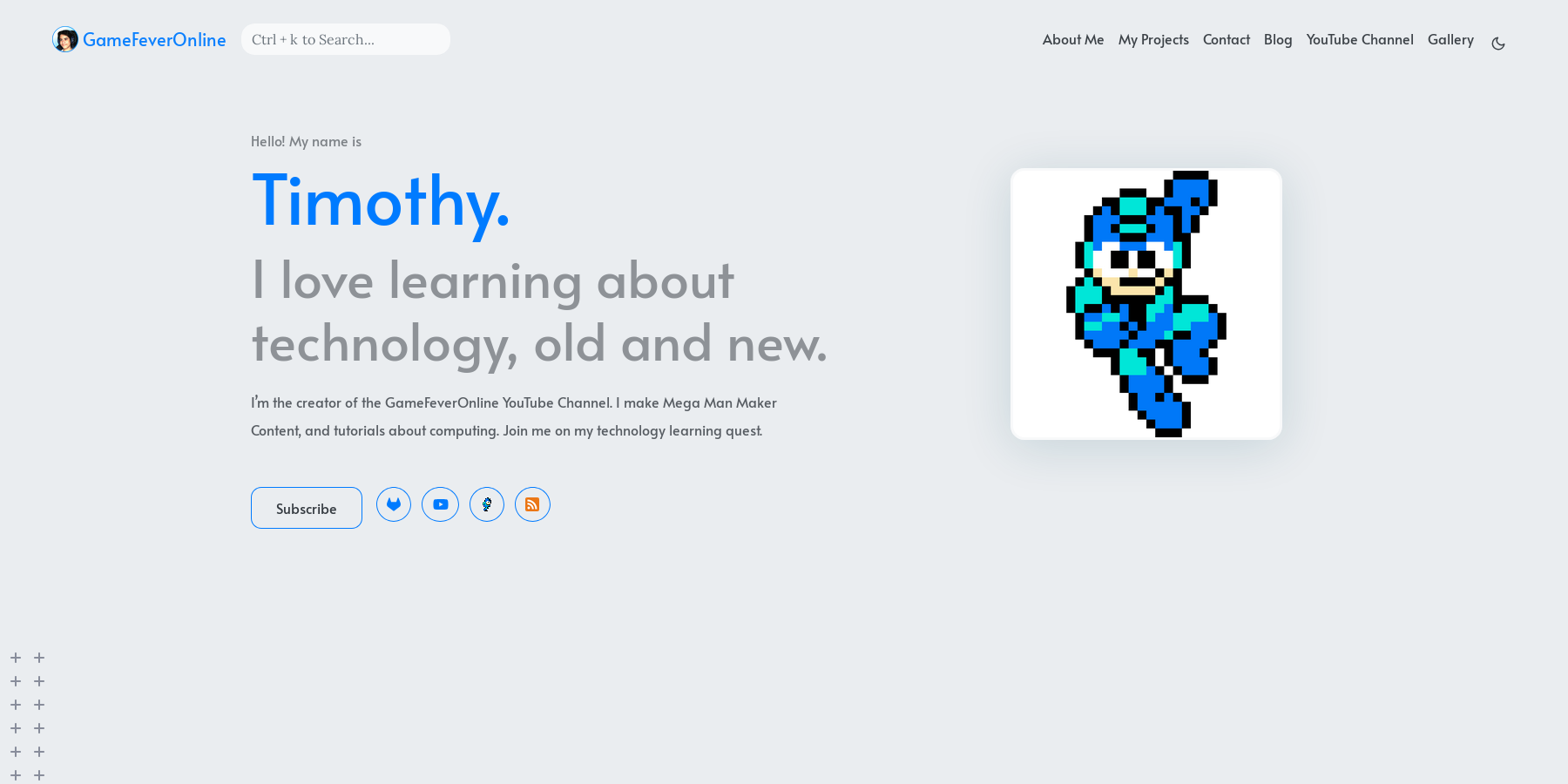
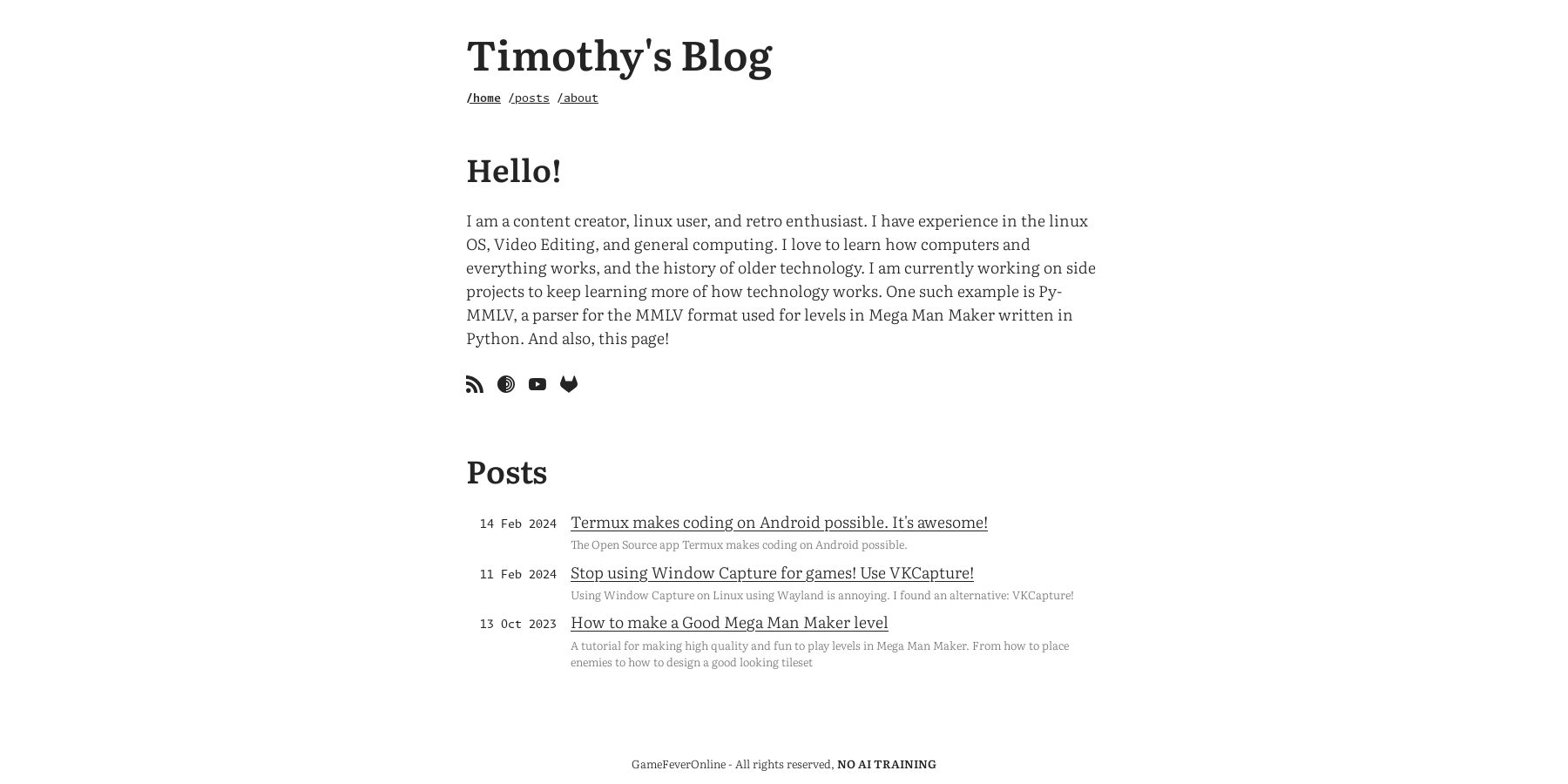
This website/blog is built on the static site generator Hugo. This allows me to mostly focus on the writing of the posts in Markdown instead of writing all the HTML and CSS for each page separately, although I would like to learn to do that as well. I previously took advantage of the simplicity of a static site generator by using the theme Hugo-Profile, which had a lot of animations and interactive parts.
| Hugo-Profile | Typo |
|---|---|
|
|
While that previous design was fine, it did not inspire me to try to customize it, since each change I made looked too simple in comparison to the rest of the site. Also the website was a bit slow to load. That is why I decided to change course and switch to a different theme. I chose the theme Typo, which has everything I wanted and is simpler in design, though I plan to customize it in the future.
Hosting #
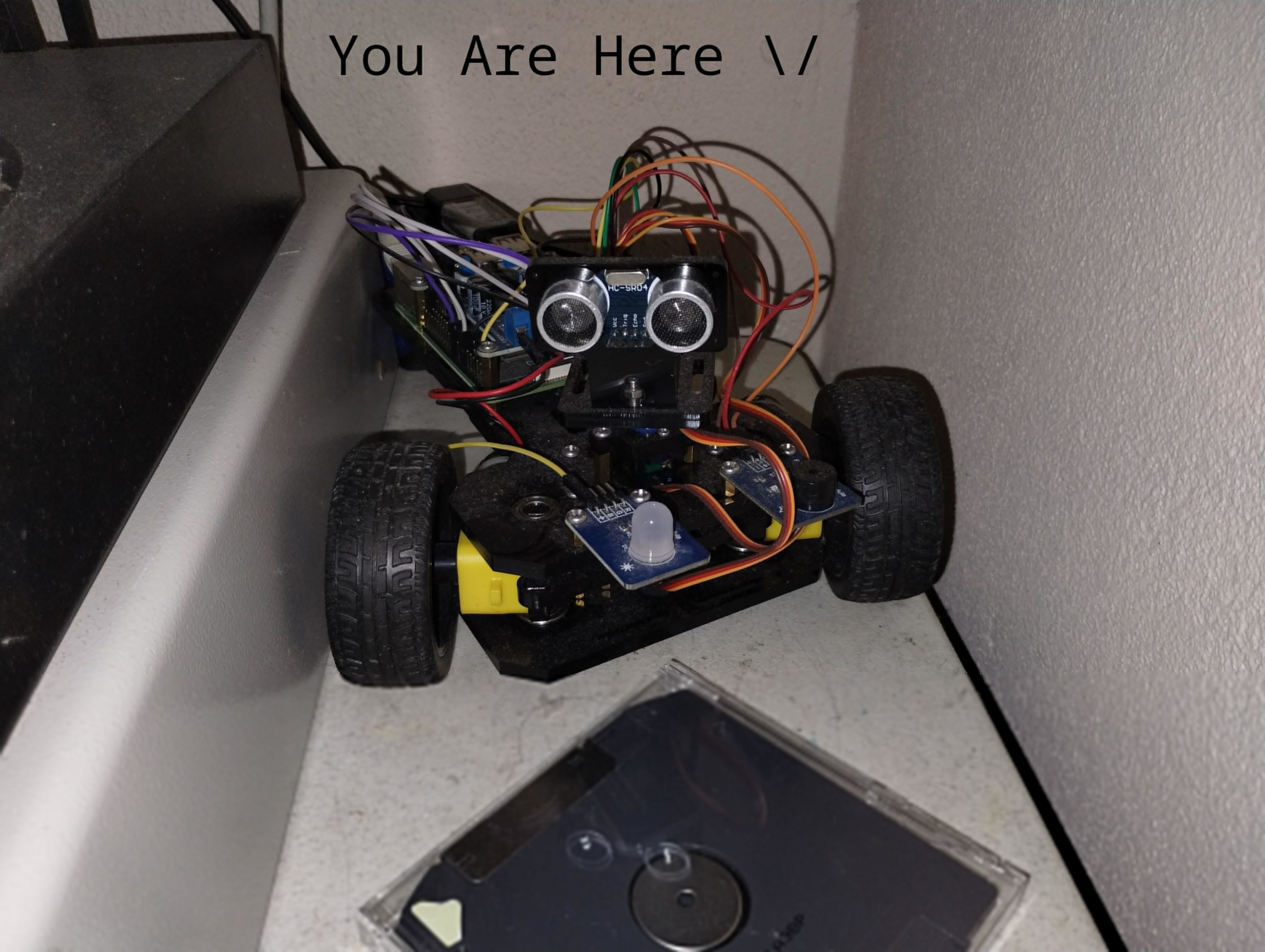
The best part of building the website. I first started this blog using Gitlab Pages for the hosting. For the most part I think everyone that is going to use a static site generator should host the site there or on another static host. However, since I want to be able to try things such as backend component for my site, I really wanted to be able to host the site from a Raspberry Pi that I already had running 24/7. For me, hosting the website from the RPI is only possible using a tunnel since my internet doesn’t allow port forwarding. At last I decided to use Cloudflare Tunnels to host my site from an Nginx server. Right now, the website you are reading was served from a Raspberry Pi 4 in an RC car and that is just awesome.
To use Cloudflare Tunnels I needed a domain. Buying a domain was probably the most instructive moment of this project as I have learned a ton of how DNS works. But first I needed to choose a domain. This was the hardest part of the whole project. I finally chose timothycreates.com, and set it up to work with the tunnel.
Now I had the website up and running through the tunnel and with my custom domain, but I really wanted to try and host it through the Tor network as well. Turns out it’s pretty easy to host a website on Tor. I followed a couple of tutorials and at the end I had my website on the onion network. I also used mkp224o to generate a vanity onion address with my name in it, because why not?
Keep in mind that this bypasses the Cloudflare tunnel, so if you want to use my website directly you can use the Tor Browser and follow my Onion Address. I also followed the official guide for adding the Onion-Location header using Nginx.
RSS #
I recently set up Miniflux as my RSS feed manager and I think that RSS is the best way to add subscriptions to most things in the internet, I even manage my YouTube subscriptions using solely RSS. However, by default Hugo’s RSS only shows the description of the post but not the content. I quickly fixed that so that now you can read the entire post just through RSS. I also fixed the image rendering for the feed, because the images were not showing up there.
I don’t have any commenting solution just yet but if you send me an email and specify the post I can include your comment on the page. That’s my next project. Probably.
As you can see, I added comments now using Comentario, feel free to try it out!